
DISCARIUM UPDATES
What’s new.
In Discarium.
New features and playback improvements for your collection.
AVAILABLE ON THE APP STORE · 14 OCTOBER 2026
1.3 — More ways into your collection.
CUE albums, more network connections and smoother disc playback.
Your server. Your choice.
Connect over NFSv3, FTP, FTPES, FTPS, SFTP or WebDAV, alongside SMB and UPnP/DLNA. Browse folders, play your media and resume downloads. Test a connection before saving it and adjust ports and advanced settings.
One album image. Every track.
Open CUE albums as individual songs with titles, durations and artwork. Jump to a track, play compatible tracks without gaps or save the album as a playlist. Downloads keep one copy of each shared audio image.
The cover belongs with the disc.
Discover artwork inside more Blu-ray and DVD copies, including Blu-ray metadata and DVD jacket pictures. Large album sleeves load in the background. Available audio formats appear before you start playback.
Stay with the performance.
Jump to Blu-ray chapters faster. Disc subtitles stay synchronized when playback resumes after a network interruption. Collection changes restore folder navigation correctly, with more stability and playback fixes throughout.
DEVELOPMENT PREVIEW
Next update — A new look for listening.
These additions are running in development builds. The App Store currently offers version 1.3.
MilkDrop, organized.
Browse MilkDrop effects in themed folders with short descriptions. Highlight an effect to see it move in the preview; select it to save your choice. Effects are stored locally for listening without a server.
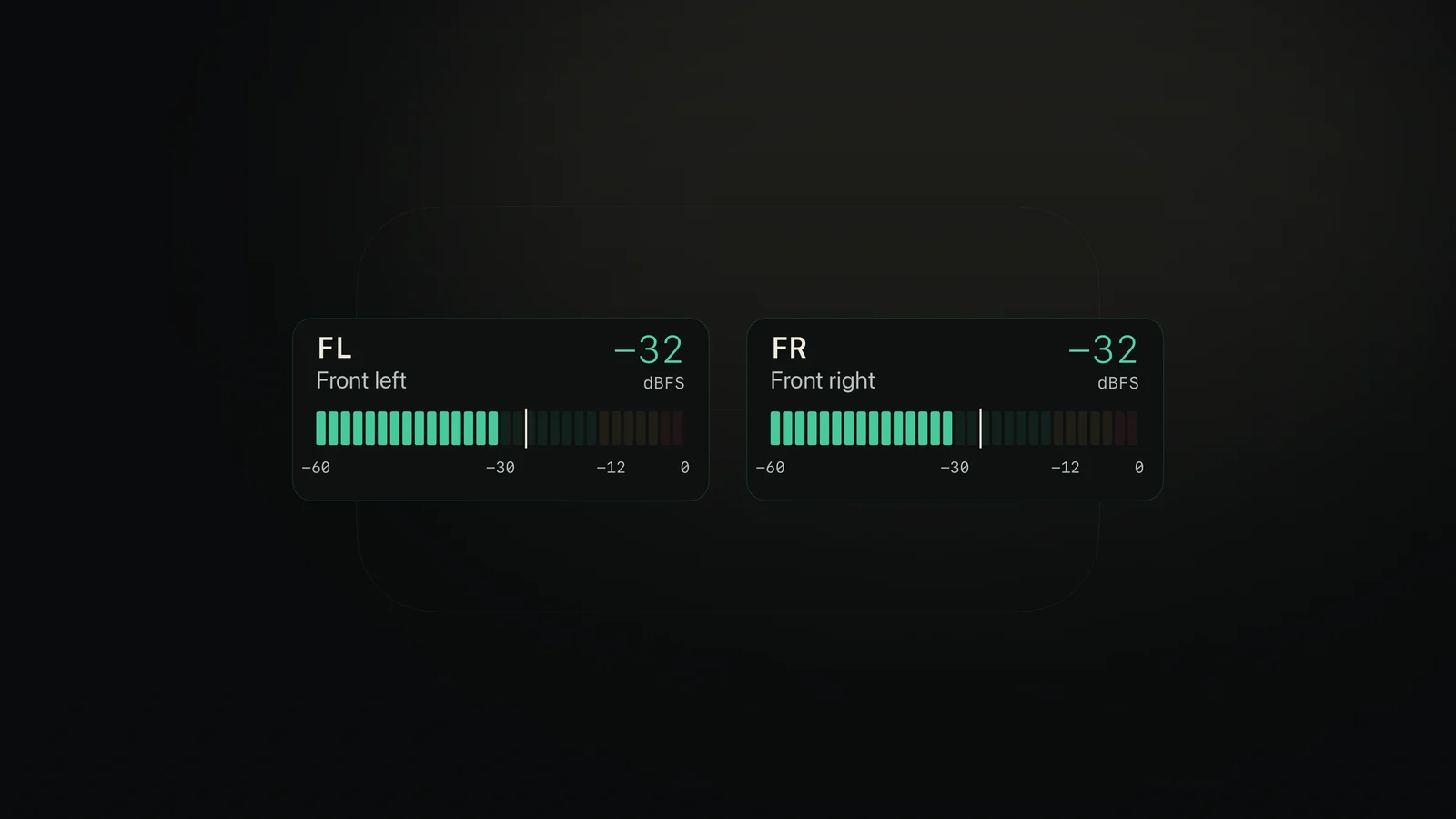
See each speaker’s level.
Larger meters follow the speaker layout, from mono and stereo to 5.1 and 7.1. Green, amber and red segments show the level, with a dBFS reading and a marker that holds the peak. The display reads a copy of the audio.
A simpler animation gallery.
Choose Wave landscape, 3D Spectrum, MilkDrop, Album cover, VU meters or Speaker levels. The last selection is remembered, with a simpler gallery and all MilkDrop presets kept together.
Your whole queue, in view.
Keep played, current and upcoming tracks together, and return to an earlier song without losing the rest of the queue. Album and folder browsing also gets a faster response to the remote.
1.2 — More of the original disc.
Open compatible original BD-J menus alongside Blu-ray HDMV and DVD-Video menus. Navigate languages, programs, scenes and soundtracks from your remote. An original disc menu demo is included.
- Chapter markers, chapter selection and fullscreen controls for DVD and Blu-ray playback.
- More reliable disc audio, menu transitions, subtitles and network buffering.
- Improved UHD introductions, still frames and returns to the disc’s Top Menu.
- Collection sorting by name, size or date where available.
- File information, rename and delete actions in folder views.
- More consistent Back navigation and restoration of the selected folder.
1.1 — Discs, sound and playback.
More reliable disc playback, clearer sound information and easier navigation.
Surround sound that fits your system.
Play 7.1 recordings on a 5.1 HDMI system. Discarium combines the surround channels and shows Mixed to 5.1 in the playback controls. An available eight-channel output keeps all 7.1 channels. Sound details shows the source, output and any processing.
More reliable disc sound.
Improved TrueHD and DTS-HD detection on Blu-ray, including short clips and intros. Incomplete audio details saved during an earlier scan are refreshed when the disc is opened.
Your next chapter, a click away.
Choose chapters while watching a DVD or supported Blu-ray. Seek with the remote, pause and continue. Blu-ray subtitles are restored with their timing after seeking.
Ahead of the next scene.
Disc video uses the video buffering setting to read ahead during network playback. Choose a larger buffer to help with brief network interruptions.
A clearer view of your videos.
Video collections show frame previews. Press Up from the playback buttons to reach the timeline, then Up again to hide the controls. Multichannel PCM playback in MKV is corrected, including 24-bit recordings.
The disc opening button is now named Open Disc.
1.0 — Your collection. A private performance.
Discarium’s first release brings your discs, music and concert films to Apple TV, in a clean interface designed for the sofa.
- Lossless audio, high-resolution source files up to 24-bit/192 kHz, stereo and supported multichannel recordings.
- Blu-ray, DVD-Video and DVD-Audio copies in folders or ISO images, with compatible original HDMV and DVD menus.
- Original-resolution video, compatible 4K and HDR10, subtitles, embedded chapters and saved video positions.
- SMB drives, UPnP/DLNA music servers, collections, playlists and downloads for local playback.
- Sound details, speaker tests, album artwork and gentle visualizations.
- An interface in English, Polish, German, French, Italian and Spanish.
Requires Apple TV with tvOS 27 or later and your own media. Original demo music is included. Explore supported formats or set up your collection.